
Automating Your Courier Allocation
Our Shipping Tools are designed to save minutes off every fulfilment session so you can stop manually choosing services and start shipping on autopilot. In this guide, you’ll learn how to:
1. How to auto select a shipping service
Follow these steps to let the system automatically choose the right service for you.
-
Log in to your Interparcel account. Navigate to:
My Account → Settings →
Shipping Tools
(on the left-hand menu).
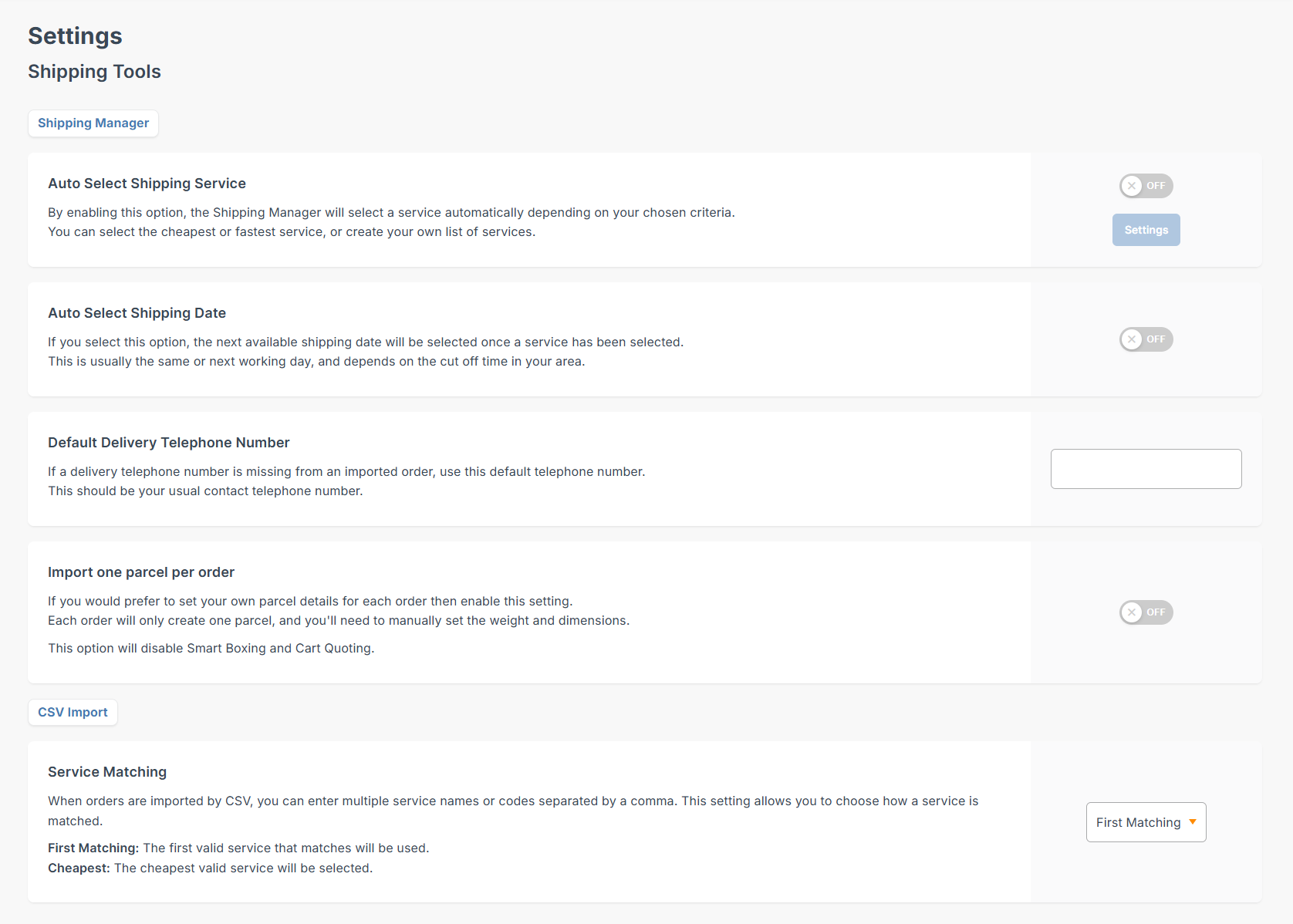
- Toggle on the Auto Select Shipping Service option to activate automatic courier allocation.
- Click Settings next to the toggle.
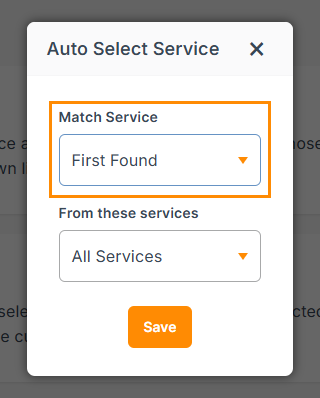
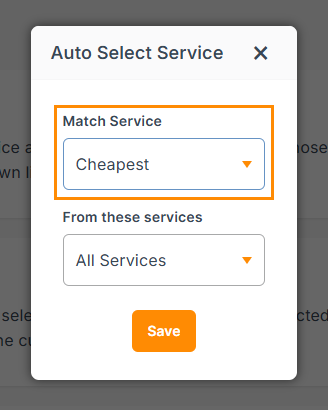
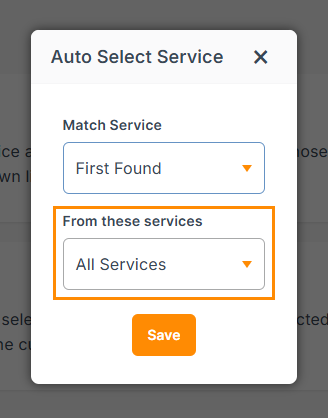
- A settings panel will open where you can control how services are chosen. In the Match Service section, select:
- First found: The system will match the first service that fits your shipment details based on your service list.
- Cheapest: The system will automatically pick the lowest priced eligible service for that shipment.
-
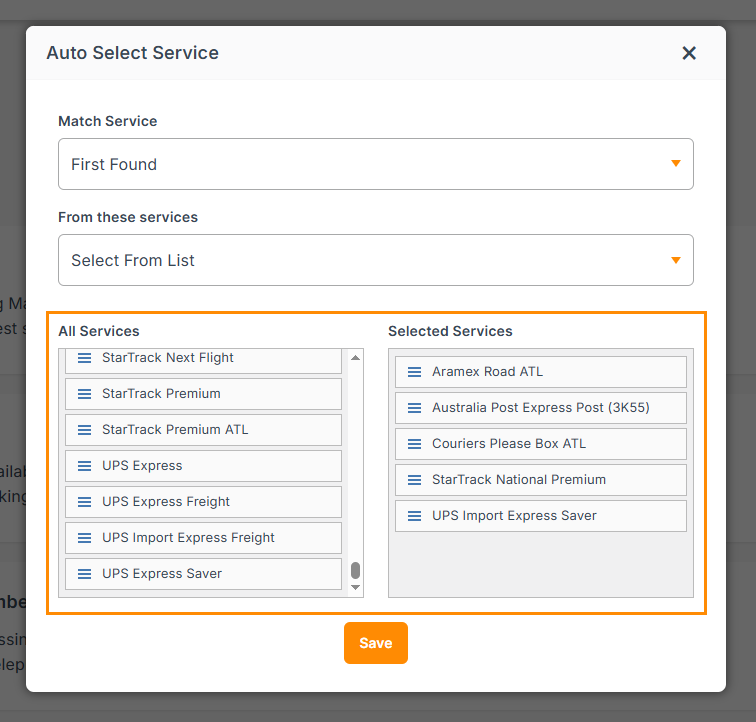
Then choose which services to use. Under the From these services drop-down, you will have two options:
- All services: The system can choose from any available services that apply to your shipment.
- Select from the list: You’ll see two boxes: All services and Selected services.
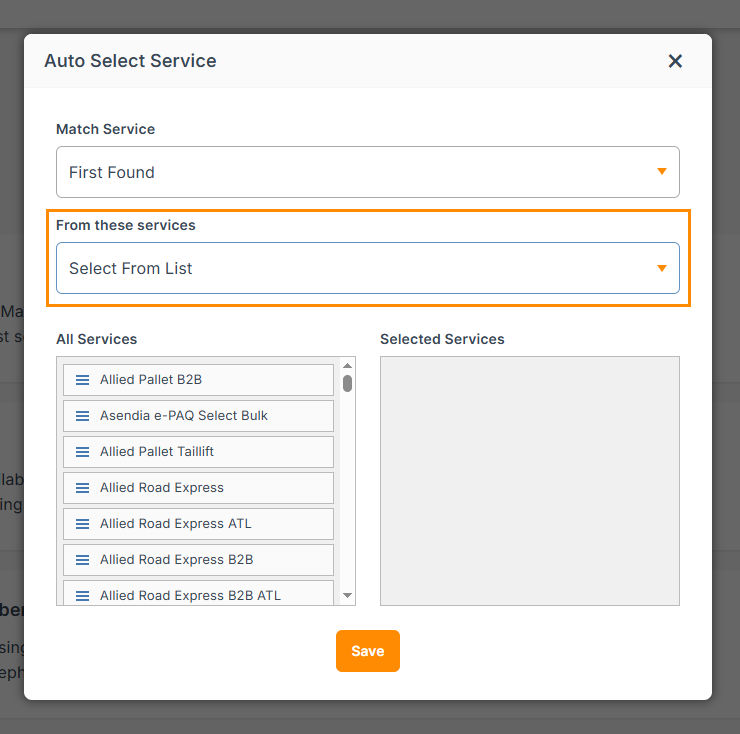
- Drag and drop the services you want to use into Selected services. Only services in the Selected services box will be considered for auto allocation.
- Once you’re happy with the selection logic and service list, click Save.


From now on, when you create shipments, the system will auto select a courier service based on the rules you’ve set here.
2. Automate even more with rules
If you want more control, you can create rules to auto allocate specific services based on shipment details.
You can:
- Choose which shipments you want to target (for example by SKU, platform or other criteria).
- Assign the service you want to allocate for each type of shipment.
- Save your rules so the system automatically applies them whenever new orders match those conditions.
To learn how to create these rules, go to our Rule Manager guides and follow the steps.
This lets you build a shipping strategy where high value or fragile items default to express or premium services, and certain platforms or regions automatically use specific couriers.
3. Auto select shipping date
You can also automate the shipping date selection so you don’t need to manually set it for every order.
-
Log in to your Interparcel account and navigate to:
My Account → Settings →
Shipping Tools
(on the left-hand menu).
- Toggle on Auto Select Shipping Date.

When this option is enabled, the next available shipping date will be automatically selected once a service has been chosen.
This is usually the same working day or the next working day, depending on the cut off time in your area and the service and courier you’ve selected.
Other Relevant Guides
Didn't Find What You're Looking For?
If you have any questions or concerns regarding your integration or how to send your orders, simply email us at shippingtools@interparcel.com.au, and we'll provide the assistance you need.