


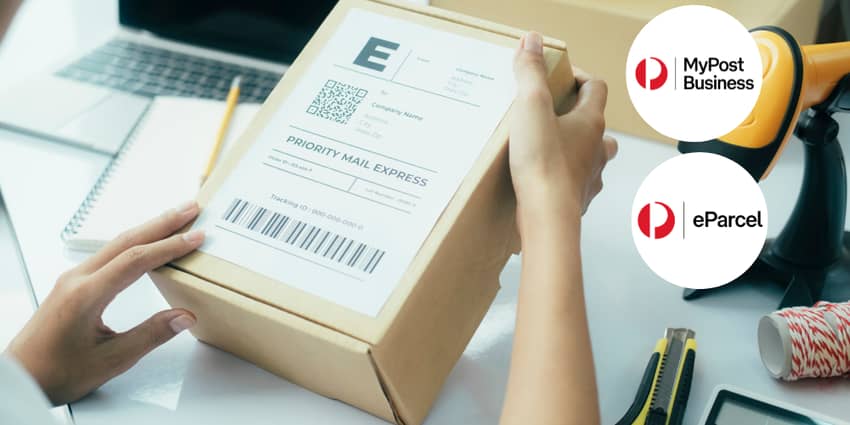
A common question for growing brands is how to print postage labels efficiently. Having the right setup in place is key to creating a smooth fulfilment process.
Whether you are sending your first few orders from home or managing hundreds of parcels a week, having a clear labelling system helps you get orders out the door faster. Using the right tools ensures your barcodes are easy to scan, which means fewer delays and happier customers.
Understanding label formats and printing options is the first step toward a more professional shipping setup. Below, we cover the main label formats, printing options, and practical tips to help make dispatch easier.
In this guide, you’ll find:
1.Different Labels You Can Print With Australia Post
Domestic Shipping
When sending parcels within Australia, you have three main size options to choose from. Selecting the right one ensures your labels print correctly and your barcodes are easy for the scanners to read.
- A4 (four labels per page): This is the right choice if the label stationery you’re using allows four labels to be printed on each A4 page.
- A4 (one label per page): This size works well when you are using plain A4 paper or an A4-sized label.
- A6 (6x4): This is the standard size for businesses using a thermal printer like a Zebra or DYMO. It prints one self-adhesive label at a time.
International Shipping
Shipping to international customers requires a few extra steps to ensure your paperwork is correct and your parcel clears customs without any issues.
- Use the correct paper size: For all international labels, you must use standard A4 paper. This is the only size accepted for shipments going overseas.
- Print your Customs Invoice: If you are sending an international parcel, you will need to print your Customs Invoice and attach it to your shipment for customs clearance. Depending on the destination and the contents of your shipment, you may also need other supporting documentation, so always check the shipping requirements before sending.
- Use a clear pouch: You should put your shipping label and the commercial invoice into a clear plastic sleeve. These self-adhesive pouches are available for free at any Australia Post Office.
- Find a flat surface: Once your documents are inside the pouch, stick it onto the flattest part of your package. This ensures the barcodes and details are easy for customs officers and drivers to scan.
Branded vs Plain Labels
You can also choose how your labels look in your Interparcel settings. Branded labels are only available for Parcel Contract (eParcel) accounts, not for MyPost Business.
- Branded Labels: Select the preprinted stationery option in your settings if you have official Australia Post labels that already have the logo and colours on them. Our system will only print the address and barcode to line up perfectly with your sheets.
- Plain Labels: This is the most common choice for businesses using plain paper or white thermal rolls. It prints an unbranded label with all the necessary delivery details for domestic and international shipping.
For more detailed instructions, read our guide on how to print your shipping labels.
2. Choose Your Printer
The best printer for shipping labels depends on how often you send parcels and what kind of setup you need. For businesses shipping regularly, thermal printing is often the more efficient option for keeping fulfilment fast and consistent.
Using a Thermal Printer
Many businesses prefer thermal printers because they are quick, simple, and do not need ink or toner. They also print clear barcodes that are easy to scan. Most thermal printers use A6 or 6x4 self-adhesive labels, which makes them a practical choice for regular fulfilment.
Using Home Printers or Printing at the Post Office
If you are not ready to invest in a thermal printer, you can still print postage labels with a standard inkjet or laser printer using A4 paper or label sheets. If you do not have a printer at all, you can print your labels at an Australia Post Office by showing your QR code at the counter so they can print and attach the label for you.
How Interparcel Helps You Print Labels Faster
If you connect your Australia Post account to Interparcel, you can save time by bringing all your orders into one dashboard, where you can manage each step from booking your shipments to printing labels in bulk instead of one by one. As your order volume grows, this reduces manual work and gives you more control over your fulfilment process.
Interparcel also lets you choose the label format that suits your setup, including A6 thermal labels, standard A4, or A4 with four labels per page.
3 Pro Tips for Better Labelling
- Clear Printing: Always use black ink on white paper or labels to ensure the scanners can read your barcodes.
- Placement: Place the label on a flat surface of your parcel. Avoid putting it over a seam or a corner where it might fold.
- Express Post: Plain black and white printed labels are perfectly acceptable. However, if you are printing Express Post labels in black and white, like on a thermal printer, Australia Post requires you to add their yellow Express Post mini-labels or tape to the parcel. This yellow coding is important to ensure your packages are quickly sorted into the correct Express Post network.
- Address Validation: Always ensure your shipping setup checks and validates addresses before you print. This helps prevent frustrating return-to-sender errors and ensures your parcels reach the right destination the first time.
Making Postage Printing Easier
Printing postage labels does not need to be complicated once you have the right setup. By choosing the right label format, printing setup, and workflow, you can make fulfilment faster, reduce manual work, and create a smoother shipping process as your business grows.




 Facebook
 Twitter
 Instagram
 Linked In
 YouTube