



Shipping is moving faster every year, and retailers want cleaner workflows, fewer clicks, and more control from the moment an order arrives to the moment it reaches a customer.
That is exactly what these new platform updates are designed to deliver.
We have rolled out a series of improvements across our platform that help you fulfil orders faster, reduce manual handling, improve accuracy during international shipping, and give you more flexibility with your own courier accounts.
Here is a full breakdown of everything that is now live.
- StarTrack BYO Integration
- Removal Of The 'Ready To Ship' Tab For BYO Services
- New Scanner Tool
- Pre-Pay Duties and Taxes for International Orders
- Enhanced HS Code Lookup
1. StarTrack BYO Integration
If you love StarTrack, you now have even more flexibility. You can now bring your own StarTrack rates into Interparcel and combine them with our fulfilment technology to speed up your entire workflow.
This is ideal for wholesalers or ecommerce brands shipping higher volumes, who already receive competitive pricing from StarTrack.
And unlike platforms that charge per label, Interparcel charges per order. If one order has multiple parcels, you only pay once.
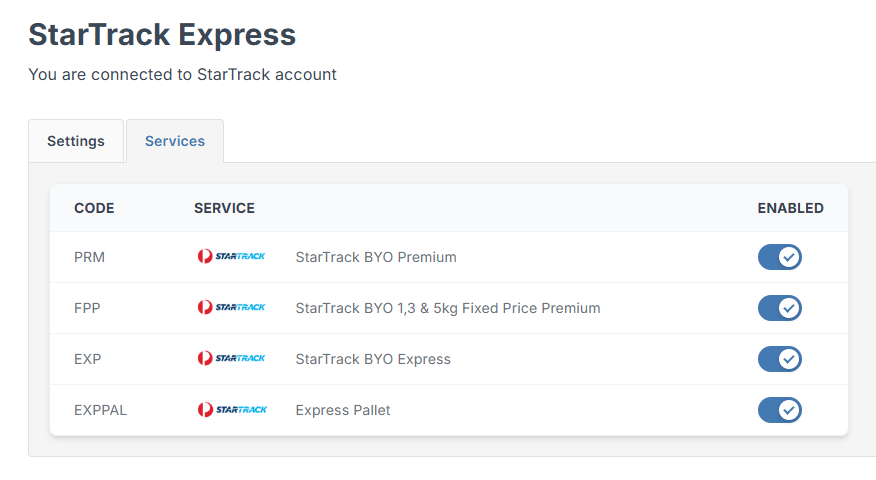
Plus, if you have never trialled courier integrations through Interparcel before, you get a full 60-day free trial with zero commitment.
2. Removal of the Ready To Ship Tab for BYO Services
A faster, cleaner process for users shipping with their own courier rates.
If you send orders using your own courier rates with Interparcel, you might have already noticed the change.
We have removed the Ready To Ship tab to take away an unnecessary step from your fulfilment flow.
This means fewer clicks, less jumping between tabs, and a more direct path to getting your labels printed.
How it works now
When your orders are ready to fulfil:
- Select your orders and click Book
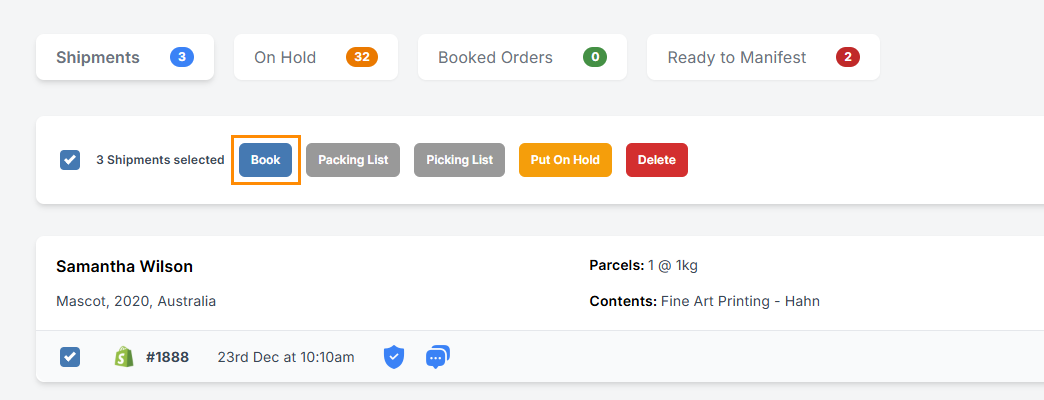
Your labels are instantly generated and ready to print. If you have Print Manager installed, labels print automatically. Otherwise, you can simply click the PDF icon in your Booked Orders tab.
For eParcel users
Once your orders are processed, head straight to Ready To Manifest. Create your manifest, download the PDF, and you are good to go.
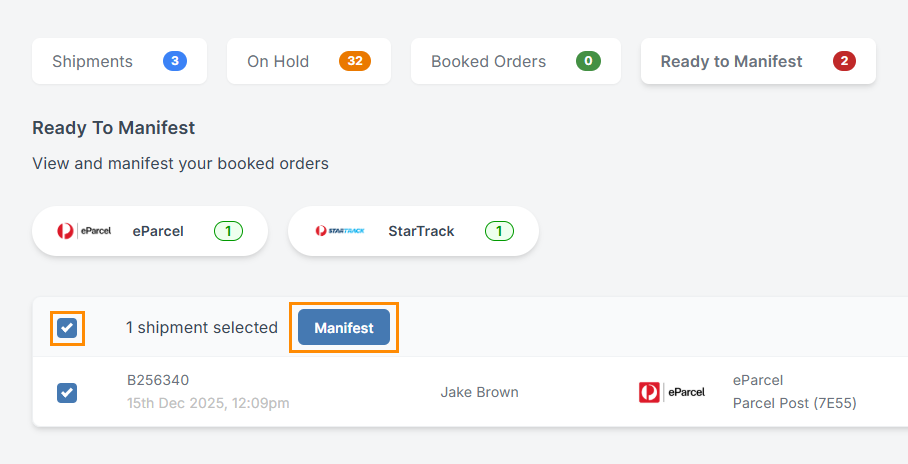

This upgrade is part of an ongoing effort to remove friction and help you process orders at top speed.
3. New Scanner Tool
As your team picks and packs orders, speed becomes essential. Whether you are working through simple piece picking or managing larger batch and cluster workflows, every extra click slows things down. This update brings a cleaner, faster way to move through your packing station so your team can keep orders flowing without interruption.
Every packing list you print from the Shipping Manager includes a barcode. After you have picked and packed your items, simply scan the list and choose what happens next. This also works with any packing list that includes a barcode linked to an order from your ecommerce platform.
Option One: Scan and Open
Scan the barcode, and the order opens immediately in the Shipping Manager.
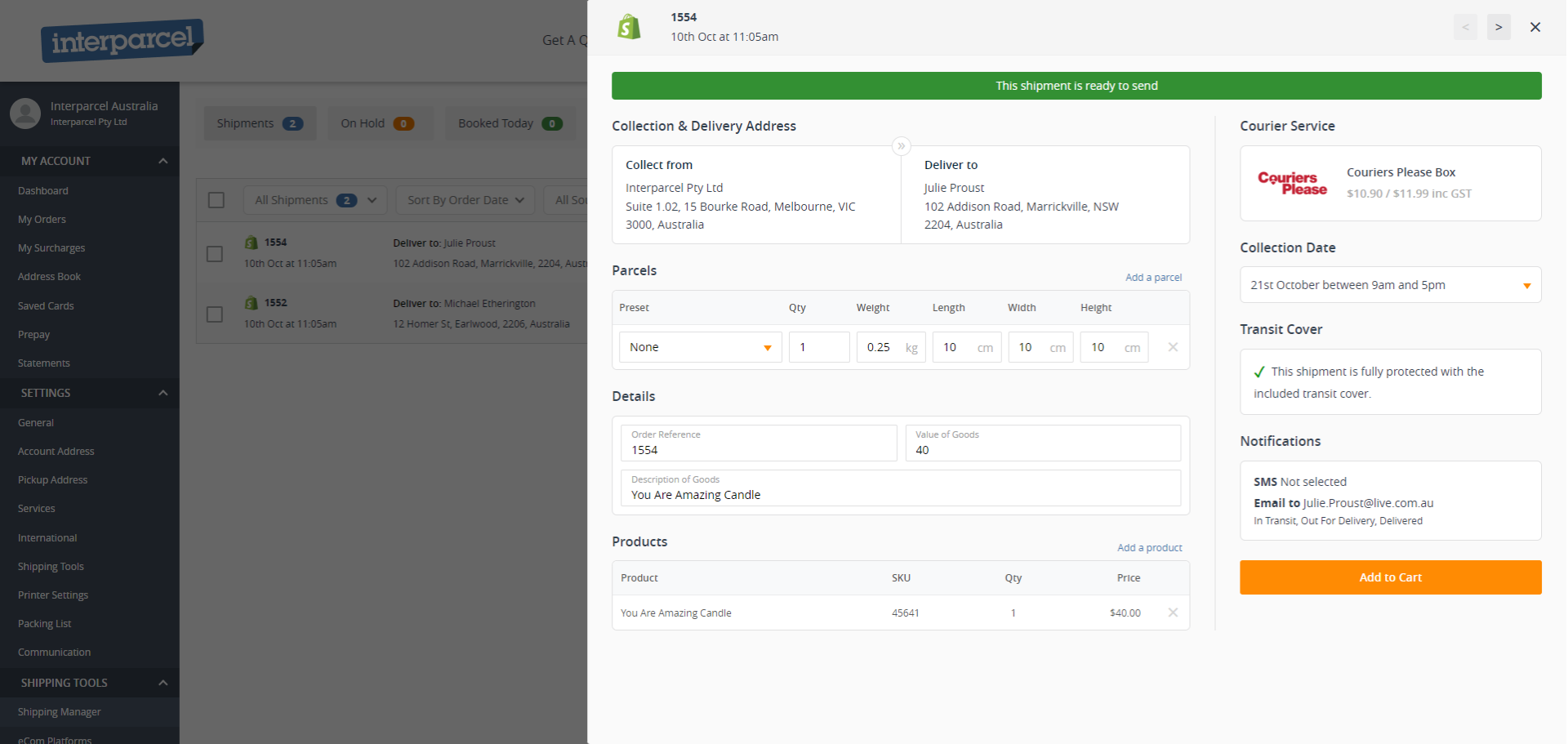
This service is available for all orders.
Perfect when you need to review or change parcel details before booking, such as adjusting weight or size.
Option Two: Scan and Book
Scan the barcode and the order books automatically.
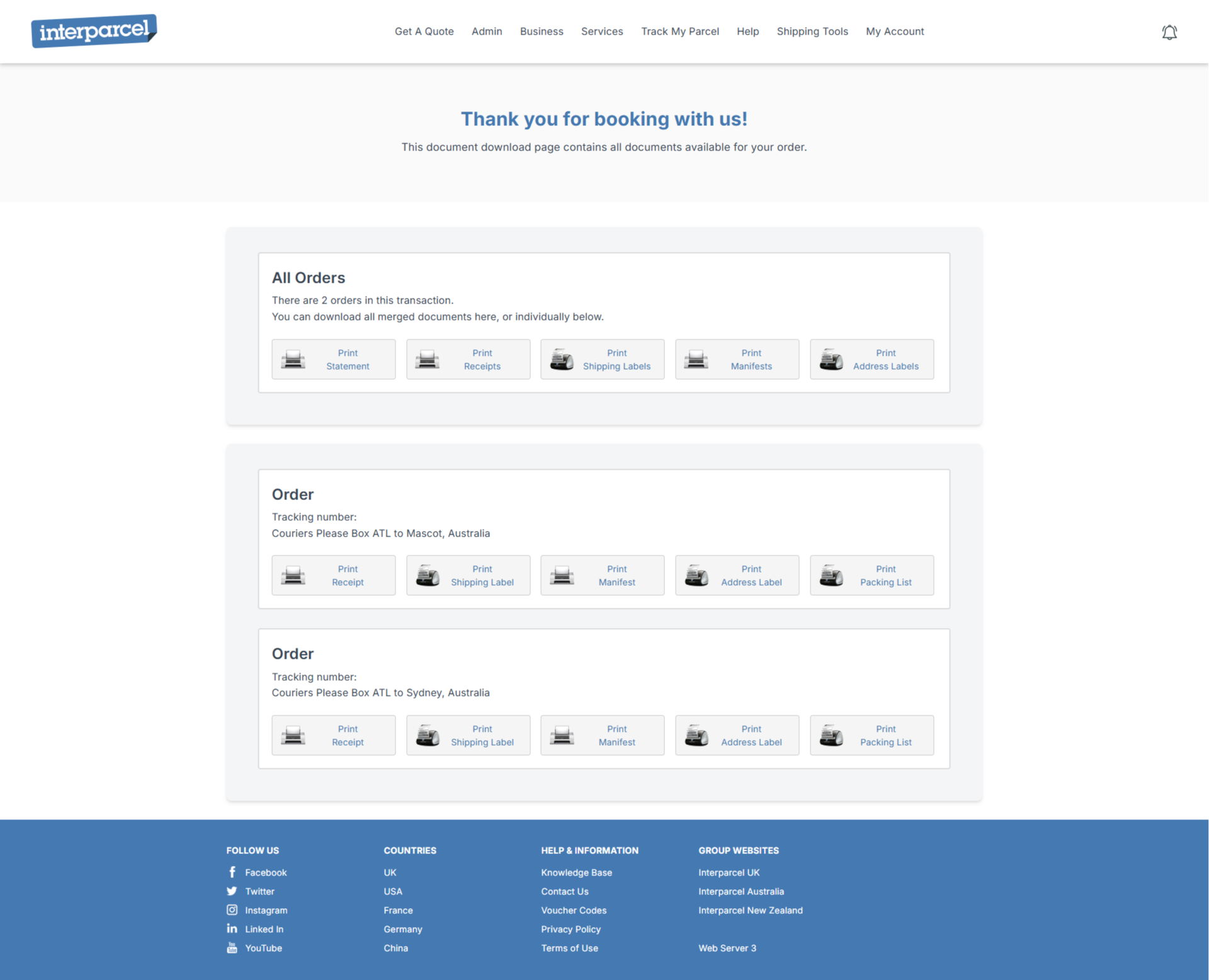
This service is available for BYO rates orders only, currently including Australia Post and StarTrack.
Ideal for teams who want the fastest possible workflow with minimal interruptions.
Why do retailers love this upgrade?
- Faster picking and packing
- Fewer manual mistakes
- Simple for new team members
- Scales as your order volume increases
- Works with any packing list that includes an order barcode linked to your ecommerce store
This tool fits naturally into the fulfilment processes you already have, just cleaner and much faster.
4. Pre-Pay Duties and Taxes for International Orders
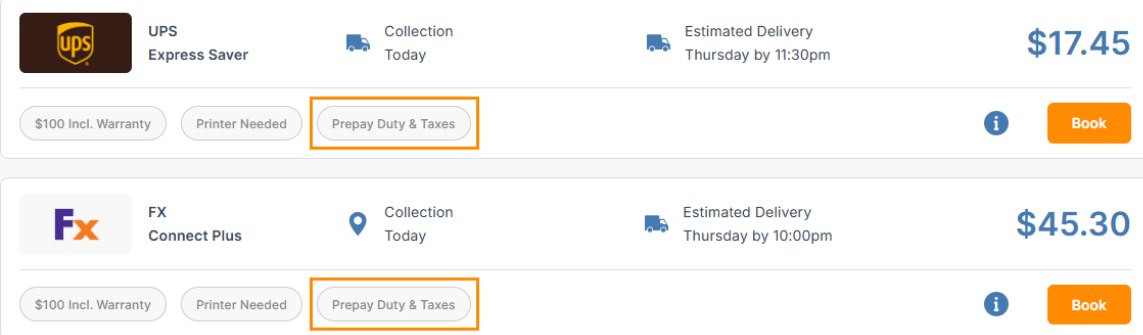
International shipping is smoother when there are no surprises at customs. To help you avoid delays and protect your delivery experience, you can now pre-pay duties and taxes upfront directly with Interparcel when booking with FedEx Express and UPS, with more services to be added soon.
If a service includes the option, you will see the Prepay Duty and Taxes tag on the quoting page. This does not mean you must pre-pay duties and taxes. It simply shows that the service gives you the option, and you can still select that service even if you choose not to pre-pay.
How this works
When booking an eligible service, you will see a new section called Prepay Duty and Taxes. If you are not familiar with the terms DDU and DDP, here is what they mean.
- DDU (Delivered Duty Unpaid) means duties and taxes are charged to the recipient when the parcel arrives in the destination country.
- DDP (Delivered Duty Paid) means duties and taxes are paid by the sender upfront as part of the shipment cost.
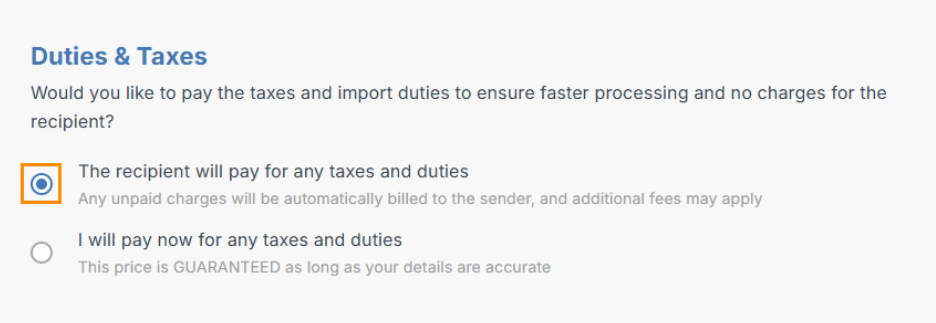
From here, you can choose who is responsible for paying the duties and taxes before completing your booking.
If you select the recipient will pay (DDU), the parcel will be held at customs on arrival until the recipient pays the required duties and taxes. This can affect delivery time if payment is delayed or missed. If the recipient does not take action, any unpaid charges will be automatically billed back to the sender, and additional fees may apply.
If you select the sender will pay (DDP), the system automatically calculates the duties and taxes based on your shipment details and adds the amount to the total shipment cost.
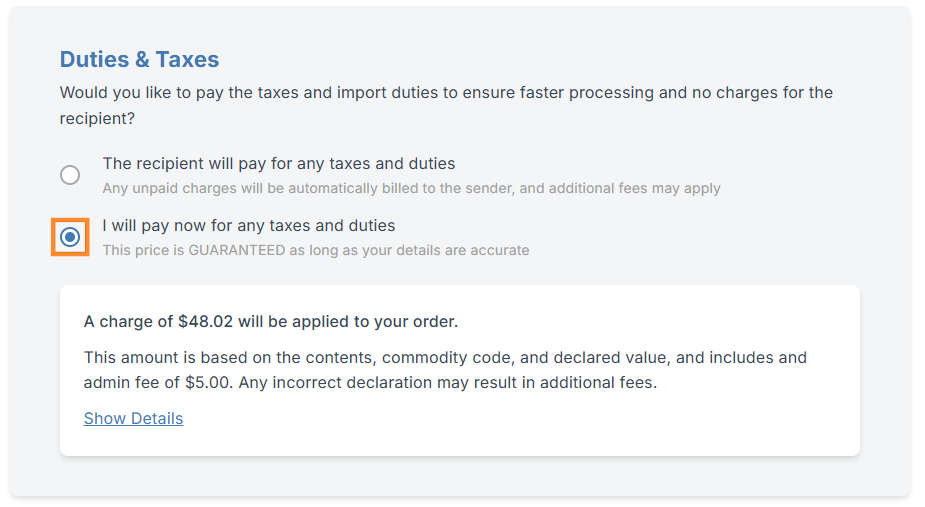
You can click "Show Details" to review a full breakdown of these charges before booking, giving you clarity and control upfront.
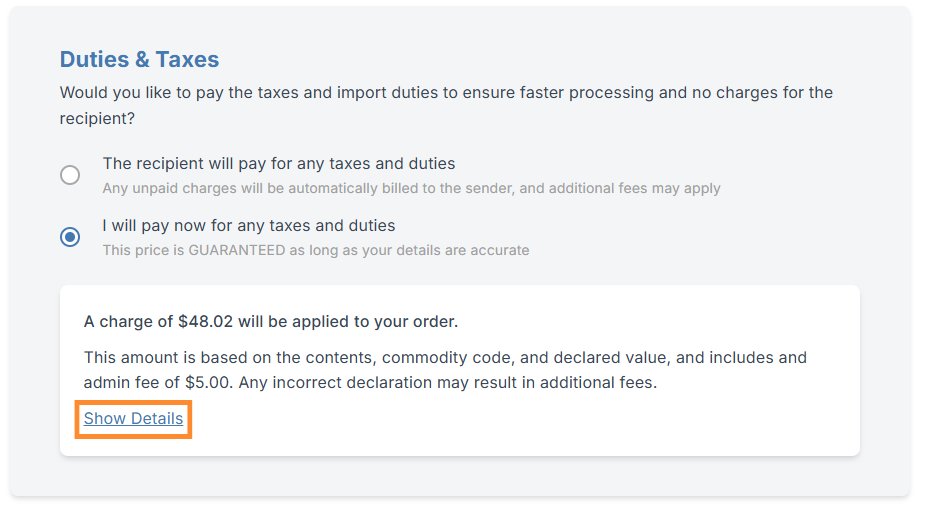
What information needs to be filled in accurately for duties and taxes?
Duties and taxes are calculated using the information provided on your customs invoice. To ensure the correct amount is applied, it is important to complete these fields accurately:
- A clear and accurate item description
- The correct HS Code
- Quantity
- Item value
- Country of manufacture
- Tax status
- ABN number
- Reason for export
Providing accurate information helps customs process your shipment correctly, reduces the risk of delays or holds, and lowers the chance of returns or unexpected charges.
If you want to learn more about how to send international orders, please refer to our guide.
This leads directly into our next improvement.
5. Enhanced HS Code Lookup
HS Codes (Harmonised System Code) are essential for customs processing, especially for destinations like the United States that require a 10-digit code.
We have upgraded the HS Code lookup tool so you can now search and enter a 10-digit HS code for the US and an 8-digit HS code for the UK, as well as the appropriate full HS codes for other international destinations.
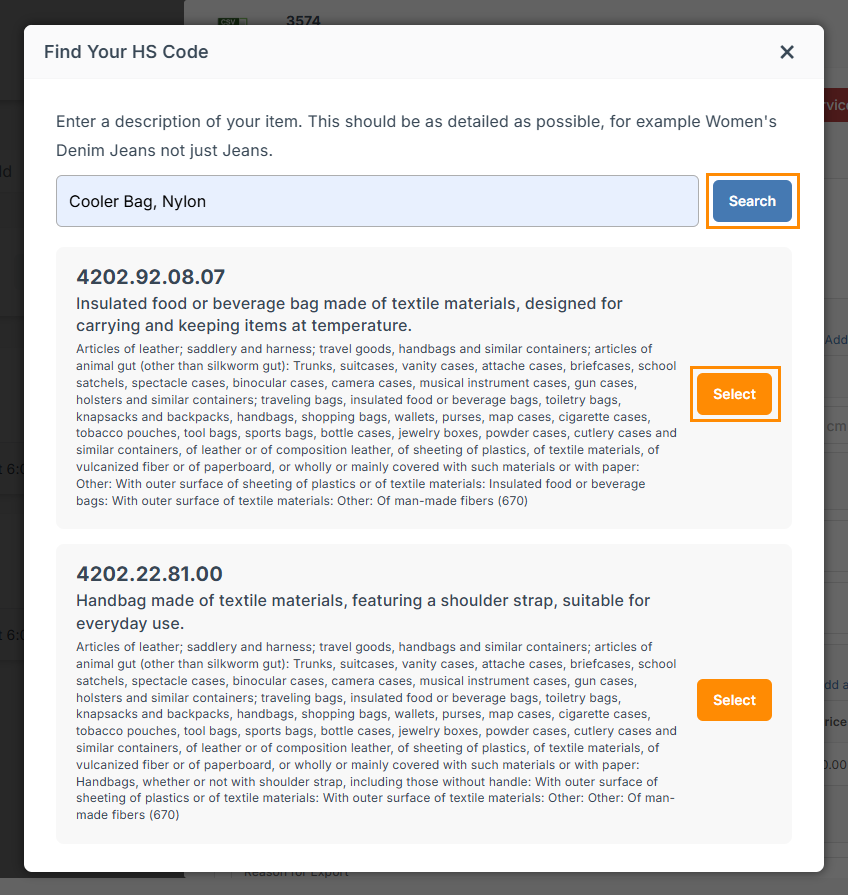
For additional context on how HS Codes are structured and applied in international shipping, you can refer to our HS Code guide.
This upgrade makes it easier to complete commercial invoices correctly and gives customs the exact level of detail they need to clear your parcel without delays.
What These Upgrades Mean for Your Ecommerce Business
Every update released this month supports one goal: helping you run a smoother, smarter ecommerce operation.
We will continue improving the Shipping Manager to help you ship with confidence and grow your business without friction.
If you ever need help getting set up or want guidance on which tools are best for your workflow, our team is always here. You can reach us at shippingtools@interparcel.com.au.




 Facebook
 Twitter
 Instagram
 Linked In
 YouTube